
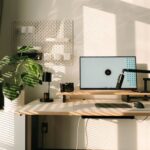

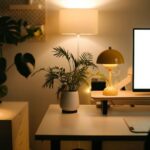
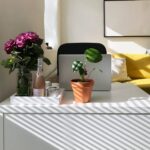
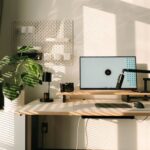
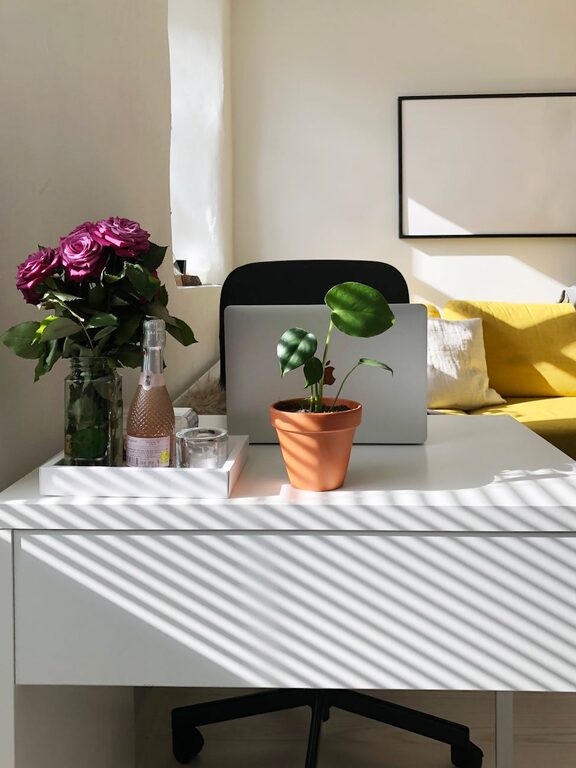
Creating a productive home office environment is essential for anyone working remotely or managing tasks from home. A well-designed workspace can improve focus, reduce distractions, and enhance overall work satisfaction. Whether you are new to working from home or looking to improve your current setup, these tips will help you create a space that supports productivity and well-being.
Choose the Right Location
Consider Natural Light and Noise Levels
Pick a spot in your home with plenty of natural light. Sunlight can boost mood and energy, making it easier to stay alert throughout the day. Avoid areas prone to noise or high traffic, like near a busy street or a television room, to minimize distractions.
Space for Your Needs
Ensure the space you select accommodates your work essentials comfortably. You should have enough room for your desk, chair, computer, and any additional equipment you use regularly. A cramped area can feel claustrophobic and hinder productivity.
Invest in Comfortable and Ergonomic Furniture
Ergonomic Chair
Your chair plays a crucial role in comfort and posture. Choose one that supports your lower back and allows your feet to rest flat on the floor. Adjustable chairs let you customize height and angle to fit your body perfectly.
Desk Choice
Opt for a desk with enough surface area to hold your laptop or monitor, keyboard, and other supplies. Standing desks or adjustable desks are great options if you want to alternate between sitting and standing during the day.
Organize Your Workspace Effectively
Declutter Regularly
Keep your desk clean and free from unnecessary items. Clutter can lead to distraction and make it harder to find what you need. Use a daily or weekly routine to tidy your area.
Storage Solutions
Use shelves, drawers, and organizers to keep supplies within reach but out of sight. Label containers and files to save time searching for documents or tools.
Minimize Distractions
Digital Boundaries
Turn off non-work-related notifications on your devices. Consider apps or tools designed to block distracting websites during work hours.
Physical Barriers
If possible, use a room with a door you can close to signal “work time” to others in your home. Noise-canceling headphones can also be helpful for blocking background noise.
Optimize Lighting
Use Task Lighting
Supplement natural light with a desk lamp to avoid eye strain, especially if you work in the evening or in rooms without ample daylight.
Avoid Glare
Position screens to minimize reflections or glare from windows and lights. This reduces discomfort and helps keep your attention on the work.
Personalize Your Space Thoughtfully
Add Plants or Art
Incorporating greenery or artwork can make your workspace more inviting and enjoyable, which can boost creativity and mood.
Keep It Professional
While personal touches are nice, aim for a space that keeps you in a work mindset. Avoid overly casual décor that might encourage relaxation instead of focus.
Establish a Routine
Set Regular Work Hours
Define your start and end times to create a clear boundary between work and personal life.
Breaks Matter
Schedule short breaks throughout the day to stand, stretch, or refresh your mind. This habit can improve concentration and prevent burnout.
Ensure Reliable Technology
Fast Internet Connection
A stable and fast internet connection is vital for video calls, research, and file sharing.
Backup Solutions
Keep backups of important documents and use antivirus software to protect your data.
Maintain Good Air Quality and Temperature
Ventilation
Open windows when possible to circulate fresh air. Poor air quality can cause fatigue and reduce productivity.
Comfort
Adjust the room temperature to a comfortable level. Too hot or too cold settings can distract and reduce efficiency.
Conclusion
Creating a productive home office environment takes thoughtful planning and routine upkeep. By focusing on the right location, ergonomic furniture, organization, and minimizing distractions, you can set up a space that supports your best work. Remember to personalize your area with care and maintain good habits to keep your productivity and well-being at their peak. With these tips, your home office can become a place where you enjoy working and achieve great results every day.

More Stories
Tips for Creating a Relaxing Home Office Environment to Boost Productivity
Tips for Creating a Cozy and Inviting Home Office Space
Tips for Creating a Cozy and Inviting Home Office Space