
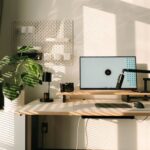

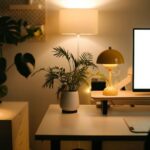
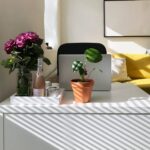
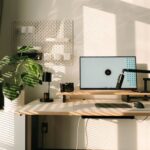
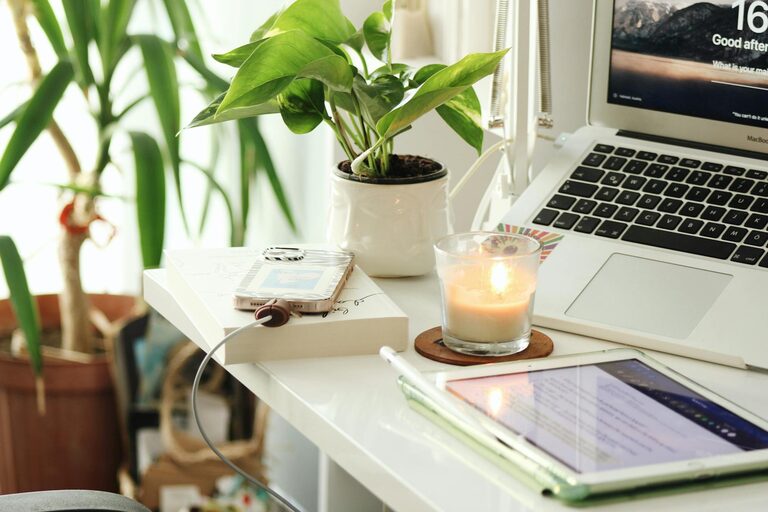
Creating a productive home office environment is essential for anyone working remotely or managing tasks from home. A well-designed workspace can improve focus, reduce distractions, and enhance overall work satisfaction. Whether you have a dedicated room or a small corner, optimizing your home office setup can make a significant difference in your daily workflow. Here are some helpful tips to get started.
Choose the Right Location
Find a Quiet Spot
Select a space in your home that is away from heavy foot traffic and noisy areas. A quiet environment helps minimize distractions and allows better concentration.
Consider Natural Light
Position your desk near a window if possible to take advantage of natural light. Natural lighting can boost mood and reduce eye strain.
Use a Dedicated Space
Try to designate a specific area just for work. Keeping work separate from living spaces helps create mental boundaries between work and relaxation.
Invest in Comfortable Furniture
Ergonomic Chair
Choose a chair that supports your back and encourages good posture. Ergonomic chairs reduce discomfort during long work hours.
Adjustable Desk
Consider a desk with adjustable height or enough space to organize your equipment comfortably.
Footrest and Accessories
If needed, use a footrest to maintain a comfortable sitting position. Accessories like wrist rests can also improve comfort.
Organize Your Workspace
Declutter Regularly
Keep your desk tidy by removing non-essential items. A clutter-free workspace promotes focus.
Use Storage Solutions
Incorporate shelves, drawers, or organizers to keep documents and supplies neatly stored.
Cable Management
Tidy up cables and cords using clips or sleeves to avoid a tangled mess that can be distracting.
Optimize Lighting
Combine Natural and Artificial Light
Use a mix of natural daylight and soft artificial lighting. Avoid harsh overhead lights that can cause glare.
Desk Lamp
A task lamp with adjustable brightness and direction is helpful for focused work, especially during evenings.
Minimize Distractions
Set Boundaries
Inform family members or roommates about your work schedule to respect your workspace and minimize interruptions.
Use Noise-Cancelling Tools
Consider noise-cancelling headphones or play background music or white noise to block out distracting sounds.
Manage Digital Interruptions
Turn off non-essential notifications during work hours to maintain focus.
Establish a Routine
Set a Schedule
Maintain regular working hours similar to the office. Consistency helps build discipline and work-life balance.
Take Breaks
Schedule short breaks to rest your eyes and stretch. Brief interruptions improve productivity.
Start and End Rituals
Create simple rituals to begin and finish your workday, such as making a cup of coffee or tidying your desk.
Personalize Your Space
Add Inspiring Elements
Decorate with plants, artwork, or photos to make the space more inviting and motivating.
Keep Tools Within Reach
Arrange frequently used items close to your desk to reduce unnecessary movement.
Maintain Comfort
Ensure the room temperature is comfortable and invest in a small fan or heater if needed.
Leverage Technology
Reliable Internet Connection
Ensure your internet is fast and stable to avoid disruptions during virtual meetings or file sharing.
Quality Equipment
Invest in a good monitor, keyboard, and mouse to improve efficiency and reduce strain.
Backup Solutions
Use cloud storage or external drives to keep your work safe.
Final Thoughts
Creating a productive home office environment is about balancing comfort, organization, and focus. By thoughtfully setting up your workspace, managing distractions, and establishing routines, you can enhance your home working experience and achieve better results. Remember, the ideal home office is one that suits your personal needs and helps you stay motivated throughout the day.

More Stories
Tips for Creating a Relaxing Home Office Environment to Boost Productivity
Tips for Creating a Cozy and Inviting Home Office Space
Tips for Creating a Cozy and Inviting Home Office Space