
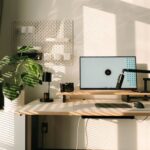

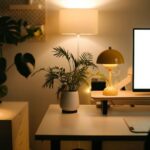
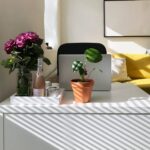
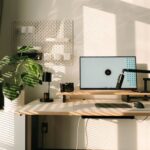
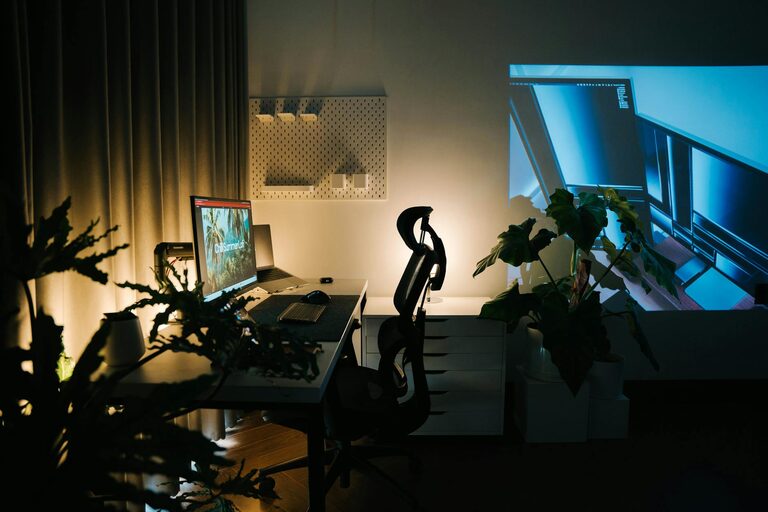
Creating a comfortable and productive home office is essential for anyone working remotely or managing tasks from home. A well-designed workspace can improve focus, reduce stress, and enhance overall work performance. Whether you have a dedicated room or a small corner, these tips will help you create an ideal home office tailored to your needs.
Choose the Right Location
Your home office location sets the foundation for productivity. Ideally, pick a quiet area with minimal distractions. If possible, use a separate room to physically separate work and home life. If space is limited, find a quiet corner away from high-traffic areas.
Consider Natural Light
Natural light can boost mood and reduce eye strain. Position your desk near a window to benefit from daylight. If natural light is insufficient, invest in good quality lighting that mimics daylight to keep the space bright and welcoming.
Invest in Ergonomic Furniture
Comfort plays a big role in productivity. Select ergonomic furniture designed to support good posture and reduce physical strain.
– Ergonomic chair: Choose a chair with adjustable height, lumbar support, and comfortable cushioning.
– Desk height: Your desk should allow your elbows to be at a 90-degree angle while typing.
– Monitor placement: Position your monitor at eye level, about an arm’s length away, to prevent neck and eye strain.
Organize Your Space Efficiently
An organized workspace helps maintain focus and reduces stress. Use storage solutions to keep your desk clutter-free.
– Shelves and drawers: Store documents, supplies, and equipment out of sight but within easy reach.
– Cable management: Use cable clips or sleeves to keep cords tidy.
– Desk organizers: Keep pens, notebooks, and small items sorted to avoid mess.
Personalize Without Clutter
Adding personal touches helps create a motivating environment, but avoid overloading your space with items that distract.
– Display a few meaningful photos or artwork.
– Incorporate plants to improve air quality and add a touch of green.
– Use color schemes that energize you or help you relax, depending on your preferences.
Establish Boundaries and Routines
Working from home can blur the lines between work and personal life. Set clear boundaries to maintain balance.
– Define your working hours and communicate them with family or housemates.
– Use a dedicated space only for work to mentally separate “office” time from leisure.
– Take regular breaks away from your desk to refresh.
Optimize Technology and Tools
Reliable technology can make your workflow smoother and more efficient.
– Ensure your internet connection is stable and fast enough for your tasks.
– Use quality headphones or speakers for virtual meetings.
– Keep your software and devices updated to avoid interruptions.
Maintain Good Air Quality and Comfort
A pleasant environment supports sustained productivity.
– Open windows when possible to allow fresh air circulation.
– Use a fan or heater to keep the temperature comfortable.
– Consider an air purifier if air quality is a concern.
Keep Healthy Habits in Mind
Your home office setup should support your well-being.
– Incorporate stretches or simple exercises during breaks.
– Drink water regularly by keeping a bottle nearby.
– Adjust lighting and seating to minimize eye and back strain.
Final Thoughts
Designing a home office that is both comfortable and productive doesn’t require a huge budget or space. With thoughtful planning and simple adjustments, you can create a work environment tailored to your needs. Focus on ergonomics, organization, and balance to make your home office a place you enjoy working in every day.

More Stories
Tips for Creating a Relaxing Home Office Environment to Boost Productivity
Tips for Creating a Cozy and Inviting Home Office Space
Tips for Creating a Cozy and Inviting Home Office Space